HR Compliance Software: Reporting, Alerts and Multistate Risk
Reduce your risk of audits, penalties and time-consuming work — in every state where you employ people
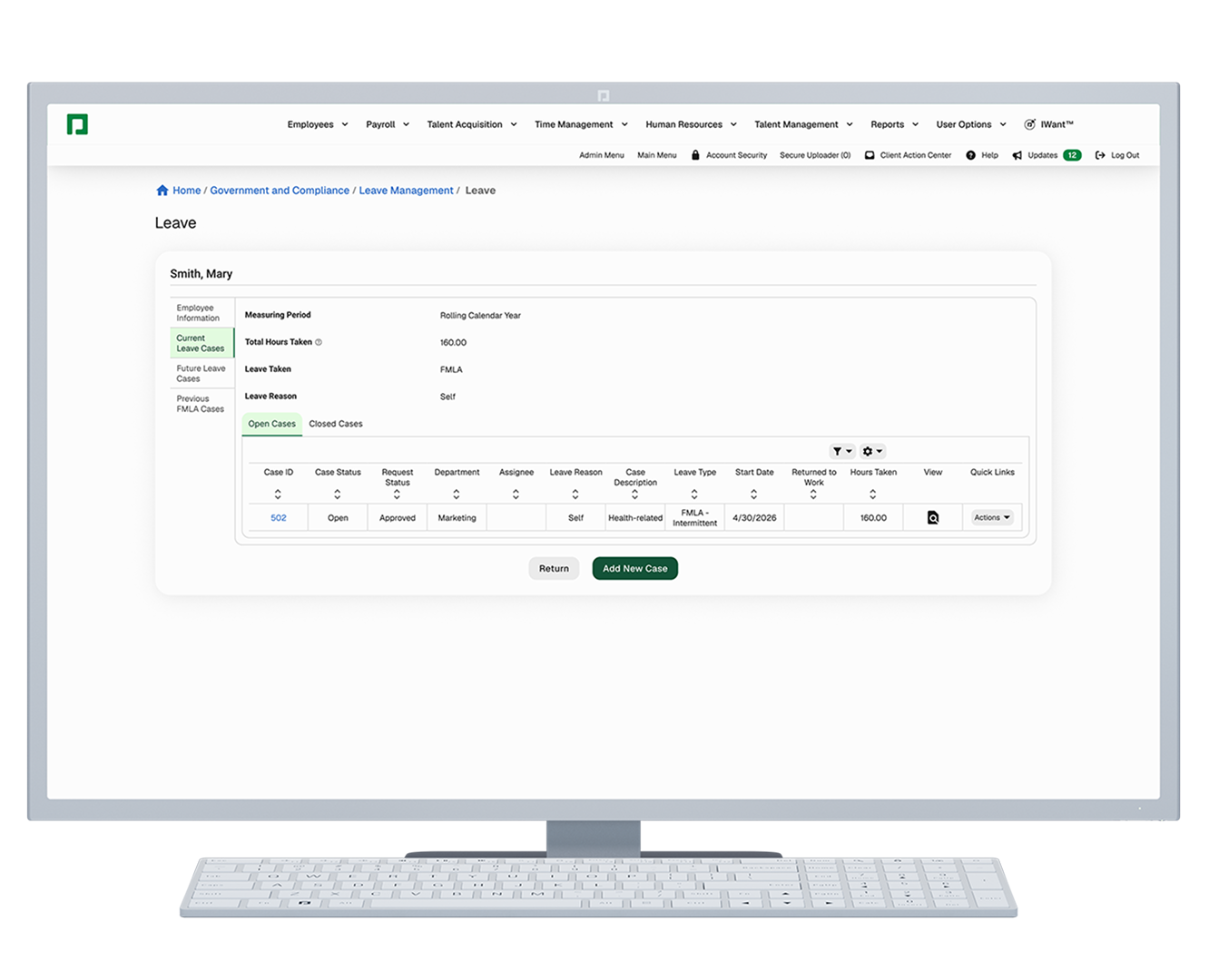
Paycom’s HR compliance software manages federal, state and local employment obligations from a single database. It generates government-required reports in each agency’s format, tracks leave and workplace-incident cases, sends real-time alerts when a duty or deadline changes, and applies payroll tax and garnishment rules in every jurisdiction where you employ people. Because compliance data is never copied between systems, the record that produces a filing is the same record an auditor reviews.
What it does
Compliance coverage at a glance

- government-required reporting in agency format — FLSA, FMLA, EEO-1, OSHA 300/300A/301, VETS-4212, California pay data and payroll-based journal
- ACA and COBRA administration, including reasons, payment history and coverage dates for former employees
- leave and accommodation case management in one place, with employee leave-status reminders
- real-time notifications for leave status, workplace injuries and illnesses, and missing compliance data
- payroll tax withholding, deposit and filing across every state and locality where employees work
- wage garnishment calculation, payment and recordkeeping under federal and state withholding limits
- unemployment claims, records of employment and filing information
- an FLSA tool kit for building and preparing labor-cost scenarios
Independently audited: five ISO certifications (ISO/IEC 27001, ISO 22301, ISO 9001, ISO/IEC 27701 and ISO/IEC 42001) plus SOC 1, SOC 2 and SOC 3 reports, and one of only five companies in the U.S. with Tier IV certification for facility construction





Take complexity out of compliance
Unchecked regulatory issues grind your business to a halt and pile more on top of your workload. Trying to stay ahead of employment laws can also feel like spinning plates. That is, without our HR compliance software.
Our Government and Compliance tool helps protect your organization with clear insight into FLSA data, employee leave, unemployment claims and more. It creates reports in government-required formats, reminds you of employee leave statuses, and keeps leave and accommodation cases in one place. It also tracks COBRA details and unemployment claims for former employees, shows records of employment and filing information, simplifies payroll-based journal reporting and includes an FLSA tool kit for labor-cost scenarios.
Comprehensive reporting
Compliance reporting software that generates government-required reports

You can’t comply with confidence without insight. Luckily, our HR compliance software uses real-time employee data to create truly comprehensive reports. All you do is confirm the report you need, and our tech handles the rest.
Instantly run reports on:
- Fair Labor Standards Act — earnings and absences (Department of Labor)
- Family and Medical Leave Act — leave tracking and case documentation (Department of Labor)
- EEO-1 Component 1 — annual workforce demographic data (Equal Employment Opportunity Commission)
- OSHA Forms 300, 300A and 301 — work-related injury and illness logs (Occupational Safety and Health Administration)
- VETS-4212 — annual federal contractor report (Department of Labor Veterans’ Employment and Training Service)
- California pay data — annual state pay data (California Civil Rights Department)
- payroll-based journal — direct-care staffing data (Centers for Medicare & Medicaid Services)
- ACA Forms 1094-C and 1095-C through Enhanced ACA and COBRA through COBRA Administration (IRS/Department of Labor)
How automated compliance reporting works
Automated compliance reporting works by pulling live employee data straight into each agency’s required format, so the filing comes out of the system instead of being assembled from exports. With our Push Reporting® tool, you set up the report once, and it arrives on schedule and correctly formatted, without anyone rebuilding it. There is no reconciliation step between the data and the filing because there is only one copy of the data.

Real-time compliance alerts and regulatory monitoring
Compliance alerts notify the responsible administrator when action is needed, a deadline approaches or required data is missing — before the gap becomes a filing failure. Paycom sends these automatically from the same database that runs payroll and HR.
Which compliance alerts does Paycom send?
Paycom’s automated notifications can be configured to cover:
- employee leave status — eligibility, approvals, expirations and return-to-work dates
- workplace injuries and illnesses — incident reporting that feeds the OSHA 300 log directly
- missing compliance data — fields required for a filing that aren’t populated yet
- recurring report delivery — correctly formatted reports on the cadence you set through Push Reporting
- legislative and regulatory changes — updates on changes that directly affect our clients’ businesses
Why real-time monitoring beats a compliance newsletter
A monthly regulatory bulletin puts the interpretation work back on your team. Monitoring wired into the configuration itself does the opposite: Tax tables and filing formats refresh on the vendor’s cadence, so you inherit the change rather than researching it. The distinction that matters in a demo is whether an alert comes from the employee record — meaning a work-location change or a new hire generates the notification automatically — or whether someone has to go looking.
Three scenarios worth testing:
- An employee’s work location changes to a new state midyear. Does a withholding-registration duty surface, or does it appear at the first failed quarterly filing?
- A recordable injury is logged. Does the OSHA 300 log update, and does the eight-hour fatality/24-hour hospitalization reporting window flag?
- A required EEO-1 demographic field is blank two weeks before the deadline. Does anyone get told?

Managing multistate and multijurisdiction regulatory risk
Multistate compliance means tracking employment duties per jurisdiction, not per company. Every state where you have even one employee can carry its own withholding registration, wage-and-hour rules, leave entitlement, garnishment cap and pay-data report — stacked on top of the federal requirements.
What changes when you employ people in more than one state
The federal frameworks stay constant. The overlay does not. An employer in one state manages one wage-and-hour regime; an employer across 12 states manages 12, plus the federal baseline. Five layers can move independently:
- A remote hire in a new state can trigger a withholding registration.
- State wage laws may require a higher minimum wage.
- State garnishment caps may require a lower withholding amount.
- State and local leave laws can change midyear.
- Entity changes can affect EEO-1 and Form 1095-C reporting.
How a single database contains multijurisdiction risk
Multijurisdiction compliance works when work location is an attribute of the employee record that feeds the calculation directly — and breaks when it’s a field someone maintains on the side. In Paycom, the same record drives withholding, leave accrual, filing and the garnishment cap, so a location change propagates once instead of being rekeyed into four systems.
This is where an integrated suite differs from a single platform. Full-suite HCM vendors, payroll-first platforms and standalone employment-law point tools all market under the compliance label while covering very different portions of the duty set. A suite assembled from separately acquired products keeps a separate record per product, and the reconciliation between those records is precisely where an auditor probes.
What to look for in multistate compliance software
Look for multistate compliance software that uses one employee record to apply the correct tax, leave, garnishment and reporting requirements across jurisdictions. The system should flag location-based obligations automatically and maintain a single dated history for audits and filings.
What to verify in a multistate compliance software
| What to verify | Single-database software (Paycom) | Typical multivendor or acquired-suite stack |
|---|---|---|
| A remote hire creates a new state withholding duty | Flagged from the employee’s work location on the record | Appears at the first failed quarterly filing |
| A state garnishment cap is stricter than the Consumer Credit Protection Act (CCPA) limit | Lower amount applied automatically in the same payroll calculation | Reconciled between a garnishment vendor and the payroll system |
| A state paid-leave entitlement runs concurrently with FMLA | Both balances tracked separately in one case record | Split across a leave vendor, a spreadsheet and timekeeping |
| An employee transfers between two EINs midyear | EEO-1 head count and 1095-C both resolve from one record | Rebuilt by hand at filing time |
| A single wage-and-hour inquiry arrives | One query against one dated history | Crosses however many databases the suite contains |
Best for multistate employers. Organizations employing people in more than one state — especially those with multientity structures, high garnishment volume or remote hires opening new jurisdictions — get the most out of a single system of record, because that’s where cross-jurisdiction duties compound fastest.
Full-solution Automation
Less liability, no manual tasks
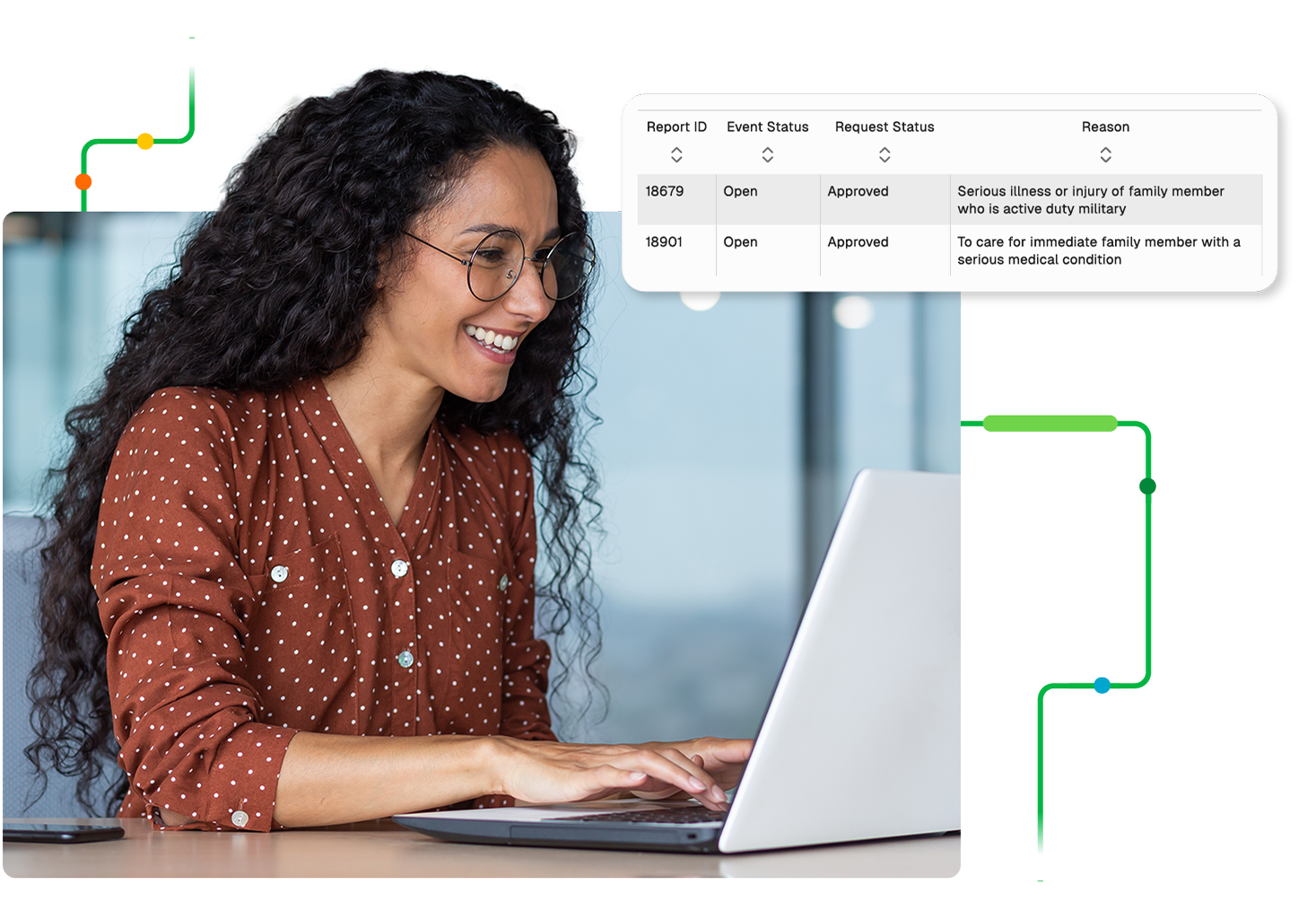
As you work to shield your organization from audits, violations and other penalties, your HR compliance software should work for you. Our automated tech exists in our truly single software, so you don’t need to reenter data or log in to separate systems to shore up compliance.
Plus, Government and Compliance lightens your workload and reduces decision fatigue by automatically sending you recurring, correctly formatted reports when you need them — after a simple setup through our Push Reporting tool — and notifications about employee leave, auto-approvals for intermittent leave, workplace injuries and illnesses, and missing compliance data.
See what people are saying about government and compliance
Frequently Asked Questions
Learn more about HR compliance
HR and government compliance software helps organizations stay up to date with any regulations or compliance laws they must follow. By empowering HR teams to automate and manage their necessary compliance tasks, the right software helps reduce risk and increase audit-readiness.
Paycom sends automated, real-time notifications for employee leave status changes, workplace injuries and illnesses, missing compliance data and recurring report delivery, plus frequent updates on legislative and regulatory changes affecting clients. Because the alerts originate from the same database that runs payroll and HR, a change to an employee’s record — including their work location — can generate the notification without anyone manually flagging it.
Look for a system where regulatory monitoring is wired into the configuration rather than delivered as a newsletter. Paycom’s Government and Compliance tool maintains tax tables and government filing formats inside the software; notifies administrators about leave actions, injury and illness incidents and missing compliance data; and issues updates on legislative and regulatory changes that directly affect clients’ businesses.
Automated compliance reporting is a capability of HR and payroll platforms rather than a standalone product category. Paycom’s Push Reporting tool delivers recurring reports in government-required formats on a schedule you set once — including EEO-1, OSHA 300/300A/301, VETS-4212, FLSA earnings and absences, California pay data, certified payroll and payroll-based journal.
Payroll software supports compliance documentation when it timestamps and retains the record behind every calculation, not just the output. Paycom generates and displays records of employment and filing information, tracks COBRA reasons and payment history, retains unemployment claim dates for former employees and produces government reports from the same live data, so the documentation and the filing come from one source.
Paycom manages multistate compliance from a single database, where an employee’s work location is an attribute of their record rather than a separate field. That one record drives state and local tax withholding, leave accrual against the correct state entitlement, the applicable garnishment cap and the government-required reports each agency expects — so adding an employee in a new state doesn’t require rekeying data into a separate tax, leave or garnishment system.
Withholding registration and reciprocity, minimum wage and overtime rules, paid and unpaid leave entitlements, garnishment caps and pay-data reporting all vary by state, with some cities and counties adding their own requirements. Federal frameworks like the FLSA, FMLA, ACA and OSHA set a baseline; state and local rules layer on top, and where they conflict, the more protective rule generally governs.
Paycom’s government and compliance software gives real-time insight with comprehensive reporting, automated notifications and case management functionality. With a detailed view into everything compliance, an organization is better equipped to reduce its exposure to violations, audits and penalties.
Reports in Paycom’s Government and Compliance tool include EEO-1; VETS-4212; OSHA 300, 300A and 301; FLSA earnings and absences; certified payroll; payroll-based journal; and more.
Paycom provides frequent updates about legislative and regulatory changes that directly impact our clients’ businesses.
Paycom automatically sends HR the recurring reports it needs in the correct format and notifies the team — and all other necessary parties you specify — about leave management actions, workplace injury and illness incidents, and compliance tracking. It sends auto-approvals for intermittent leave requests based on your criteria. Plus, HR can view all the information it needs in one place, so there’s no more searching for the right report or switching between platforms.
Both on- and off-site, our comprehensive security standards and technologies are formally audited and verified for compliance annually. As one of the few payroll processors with five ISO certifications — ISO/IEC 27001, ISO 22301, ISO 9001, ISO/IEC 27701 and ISO/IEC 42001 — plus SOC 1, SOC 2 and SOC 3 reports, we take precautions to protect and secure your data as if it were our own. You can read our security standards in full here.
Learn more about Paycom
Explore these resources for greater insights
Ready to see Paycom in action?
Request a meeting for personalized guidance based on your company’s unique requirements.
Request a meeting
* indicates a required field
User Info
Contact Info
Company Info

By submitting this form, you accept our Terms of Use and Privacy Policy.