Mileage Tracker and FAVR
Streamline business travel reimbursement and automate accountability while ensuring accurate records
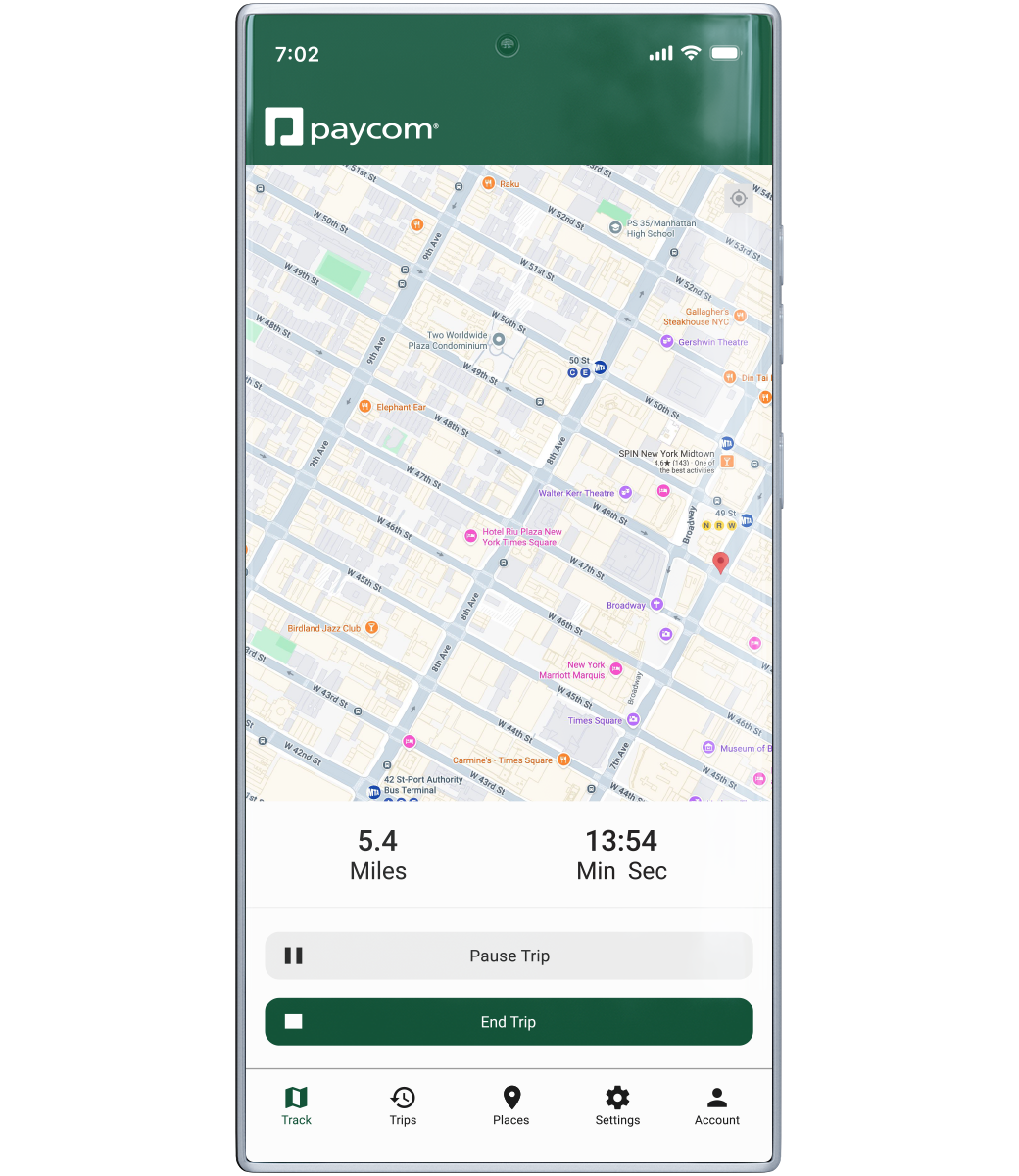

What it Does
Accurate mileage reimbursement with overpayment guardrails
Tracking and reimbursing business travel miles creates an administrative burden for employees, managers and HR professionals. But Paycom’s Mileage Tracker mobile tool makes it easier for everyone. Our automatic mileage calculator uses Google Maps™ for accurate data and the best route options.
Plus, the FAVR (Fixed and Variable Rate) feature helps ensure you’re not overpaying on reimbursements. It considers your specific region and business travel needs rather than merely the IRS’ per-mile national average. Because rates can vary, FAVR automatically factors company location, your base vehicle and designated driving radius.
HOW IT’S DIFFERENT
Efficiency that goes the distance

When you require traveling employees to use Mileage Tracker, you help ensure consistent, accurate expense management across departments. Rest assured, you get the most accurate business miles to prevent overpayment.
Eliminates paperwork
Neither the employee nor HR has to turn in mileage on paper.
Automatic pausing
Mileage Tracker recognizes when an employee’s car is stopped.
Simple submission
Employees can upload trip expenses to submit with mileage details.
All-mobile experience
With Paycom’s app, employees simply open Mileage Tracker and start the trip.
FULL-SOLUTION AUTOMATION
Mileage Tracker seamlessly connects with

Trips sync automatically, so it’s easy for employees to submit mileage and expenses in one place.

Submissions immediately flow to you for approval. Or you can set auto-approval up to a chosen amount.

Once you approve mileage, it flows straight to payroll with no further action needed on your behalf.
Ready to see Paycom in action?
Request a meeting for personalized guidance based on your company’s unique requirements.
Request a meeting
* indicates a required field
User Info
Contact Info
Company Info

By submitting this form, you accept our Terms of Use and Privacy Policy.